Sales Goals Panel
The Sales Goals panel is used to view the progress toward meeting vehicle sales goals for a selected time period. This panel displays sales information, such as the target number of vehicles to sell during the selected time period and the number of new and used vehicles that have been sold. The goals used on this panel are defined on the Dealership Goals panel. The display settings for this panel are defined on the Sales Goals Defaults window.

|
The Sales Goals panel displays on the Home screen. To access the Home screen, click the |
 (Home) icon.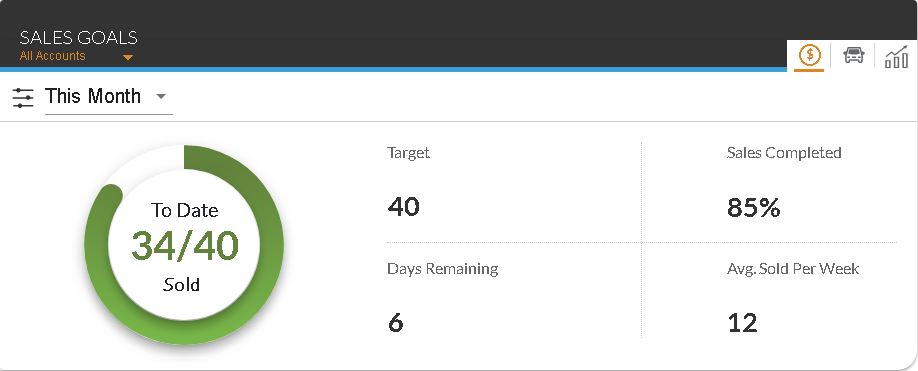
To change the time period for which sales information displays, select a time period in the unlabeled Time Frame field. To display sales information for an individual dealership, select a dealership in the unlabeled Account field.
Note - The Account field only displays if the logged on user has access to multiple dealerships.
The following tabs are available in the Sales Goals panel.
- Sales Goals tab. The Sales Goals tab is used to view information such as the days remaining to complete the sales goals and the average number of vehicles sold to customers with XtreamService leads per week during the selected time frame.
- New/Used Breakdown tab. The New/Used Breakdown tab is used to view the number of new and used vehicles that were sold to customers with XtreamService leads during the selected time frame.
- Average Selling Trend tab. The Average Selling Trend tab is used to view the average number of vehicles sold to customers with XtreamService leads on a weekly, monthly, and yearly basis, as well as the average gross profit for each time period.
Click here for a list of products that may be mentioned in this help file.